
User guide
User guide for Accessorize
Check out our tutorial to quickly learn how to use the app.
Step 1:
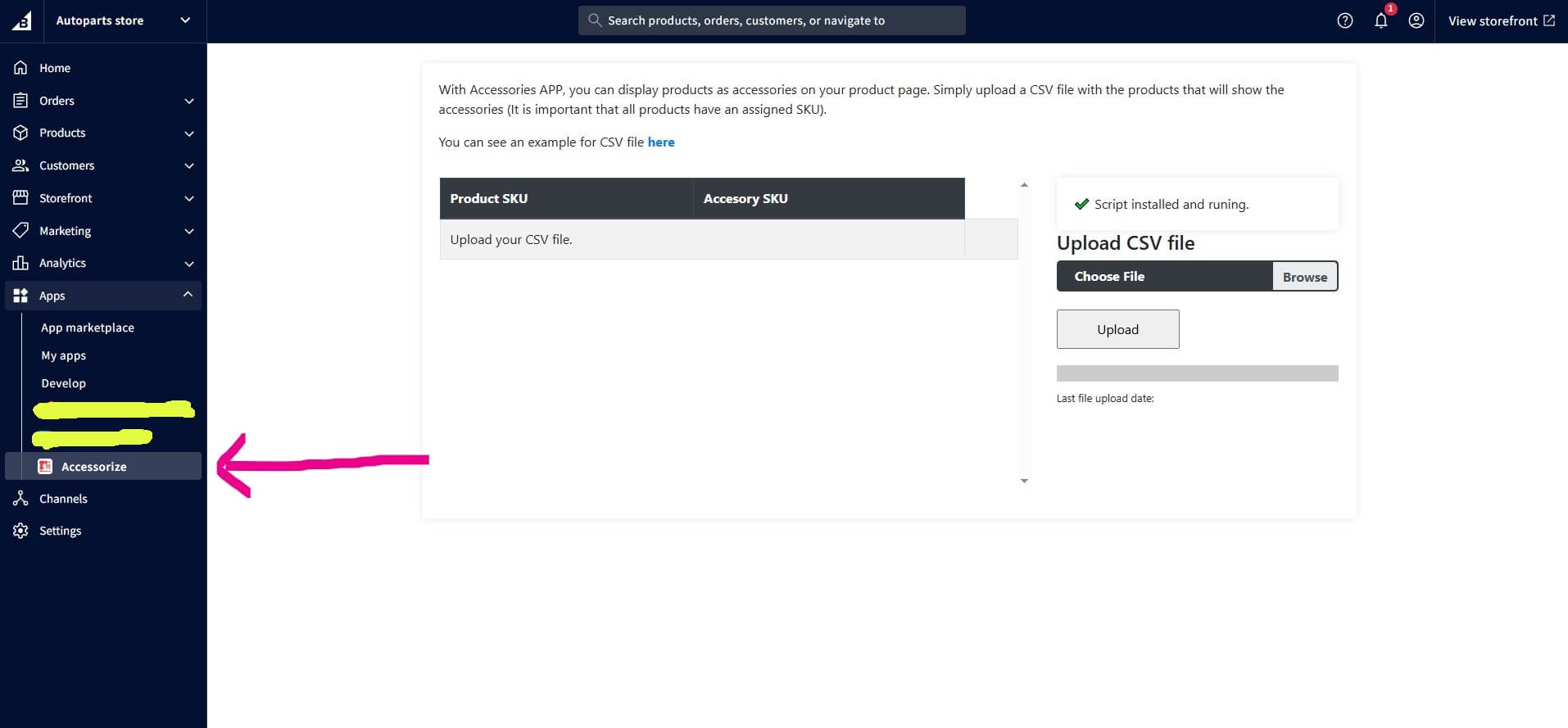
Select the app Accessorize from Apps section.
Step 2:
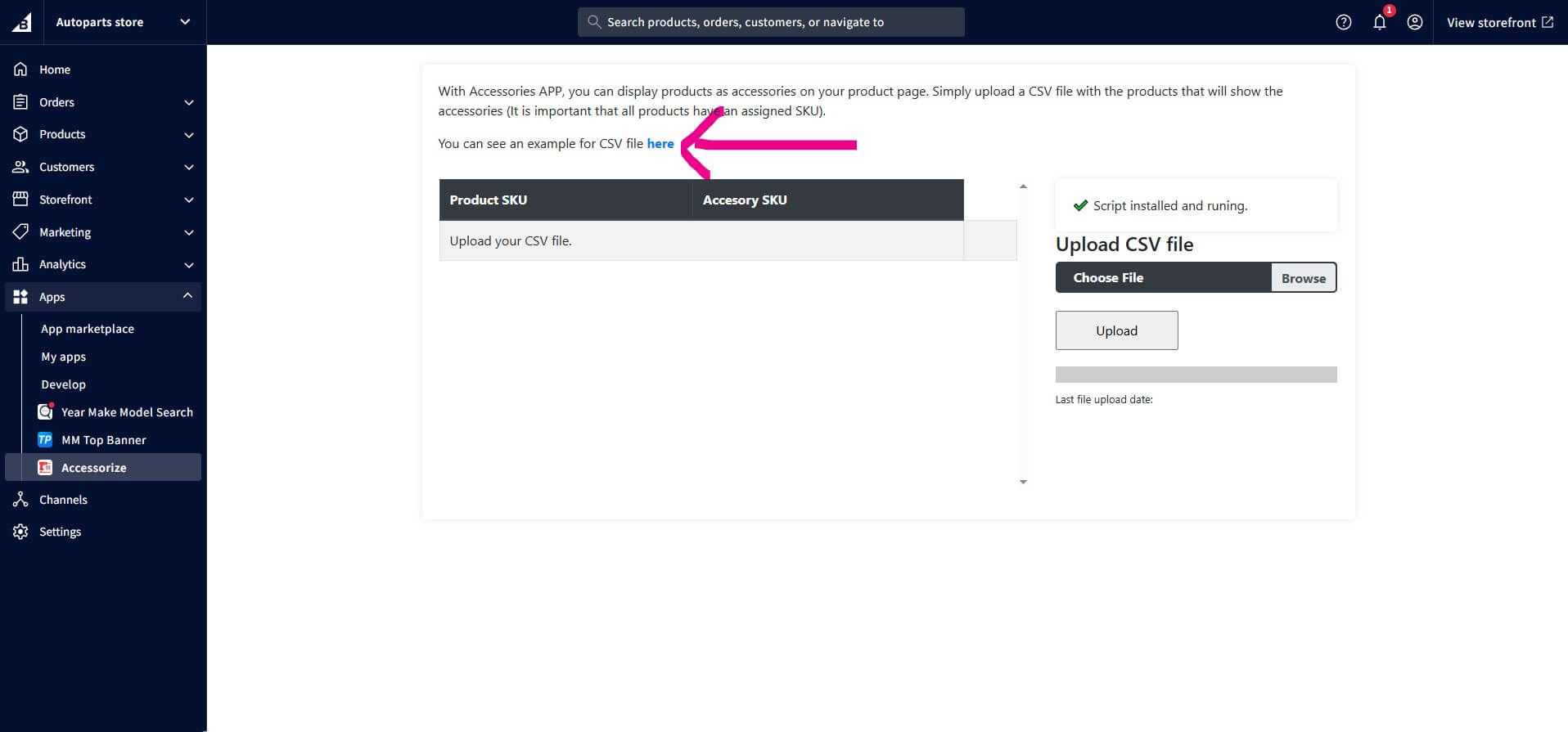
You can download a sample from the link, to see how is the structure the csv file to fill the information
Step 3:
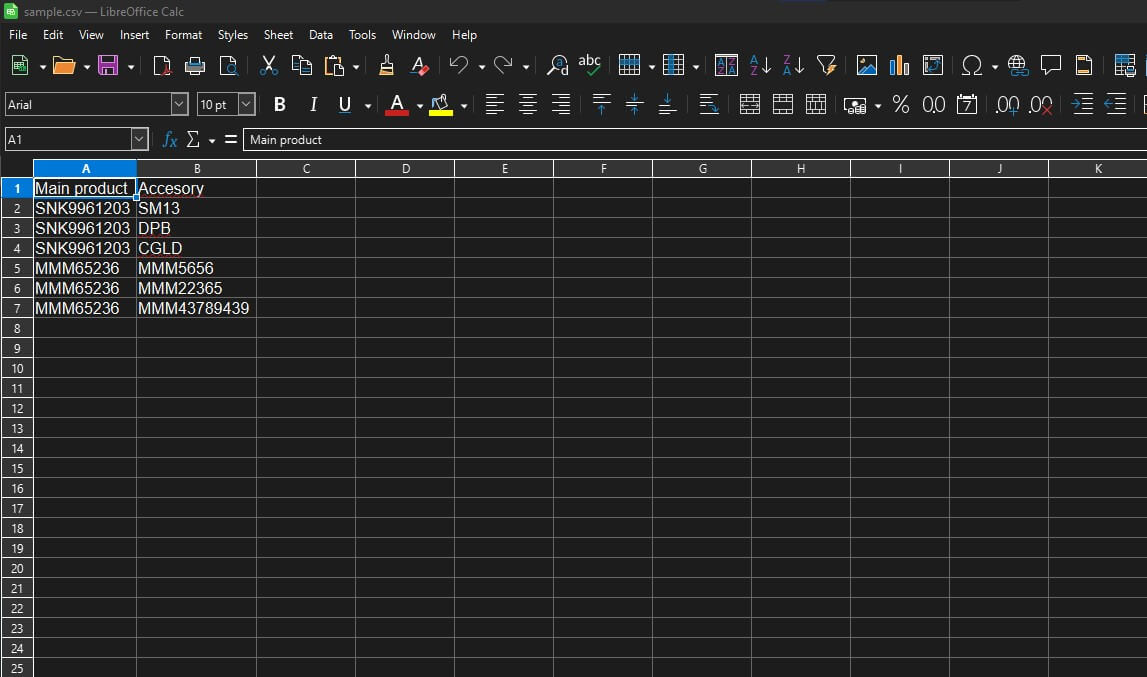
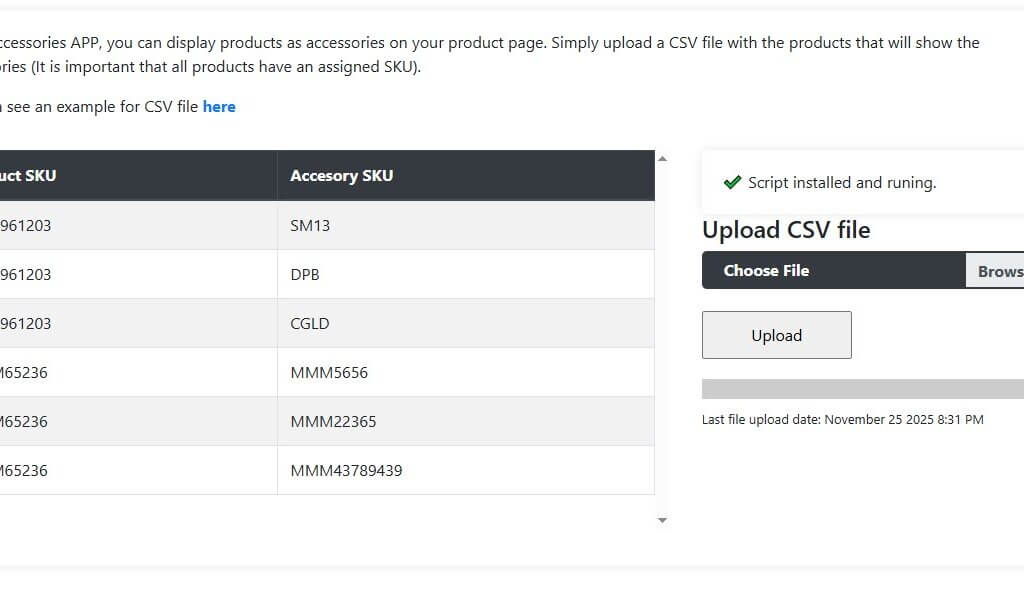
The first column is the main product. You can put any SKU from any enable/active product. The second column is the SKU product that will be the accessory from the main product. If you need to put more accessories to main product you can repeat the SKU from the main product column.
Step 4:
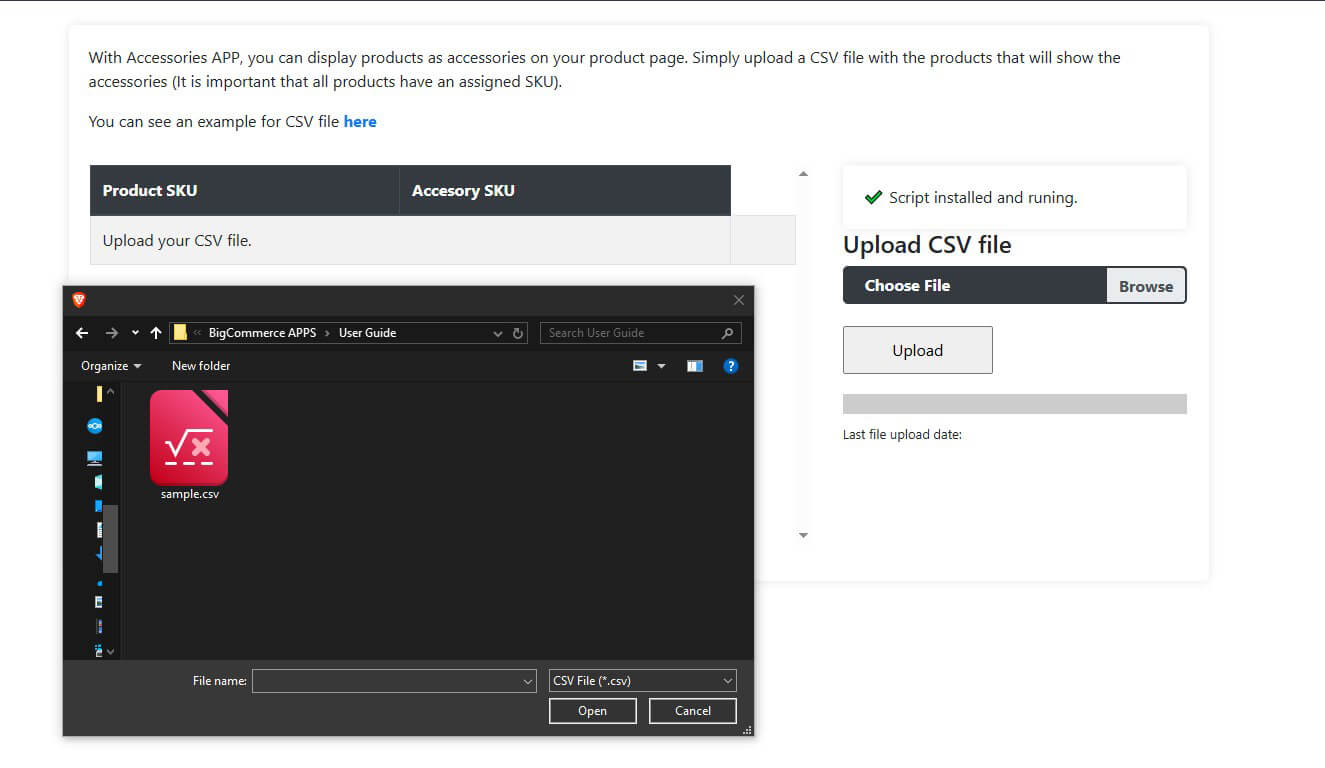
Upload the file to begin uploading the information.
Step 5:
You will see the content details about the products and accessories.
Step 6:
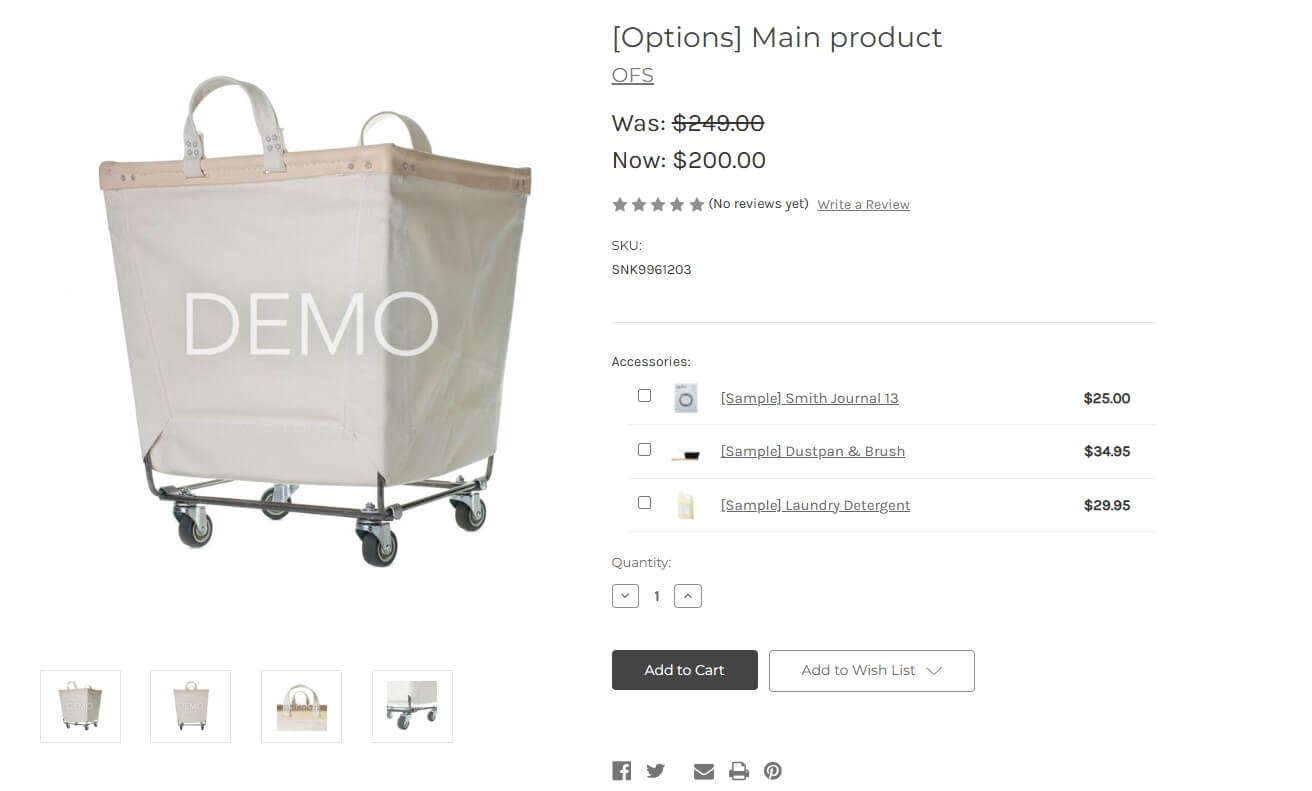
If you check the product page of your product, you notice that will appear extra content before add to cart button, displaying products as accessories.
If need to make changes, just re-upload the csv file and it will be updated.
We are
Digital Commerce Experts
Since 2010, our agency has specialized in the delivery of digital commerce solutions for small to large enterprises including brands and retailers in both B2B/B2C markets by leveraging proven technology platforms.
Delivering Results


Our design and creative team brings your site to life with interface design, imagery, typography and animation.
Start Your Project Today
-
The Most Experienced
Marketing Media has successfully completed over 300 web projects and strategic plans.
-
Cost Effective
We provide user-friendly, custom turnkey solutions that are affordable for businesses.
-
Innovative Technology
We build robust and hand-forged code for durablity.
All Rights Reserved ©2010 - 2026 Marketing Media | Sitemap | Privacy Policy | Cookies
